Easycart allows you to easily distribute your digital products. Simply add one or more files to your checkout, and we will automatically deliver them to your customers immediately after purchase.
Adding files
You can assign your file to the entire checkout or to a specific product variant. This means that if you sell multiple product options in one checkout, each customer will receive exactly the files associated with their chosen variant after purchase.
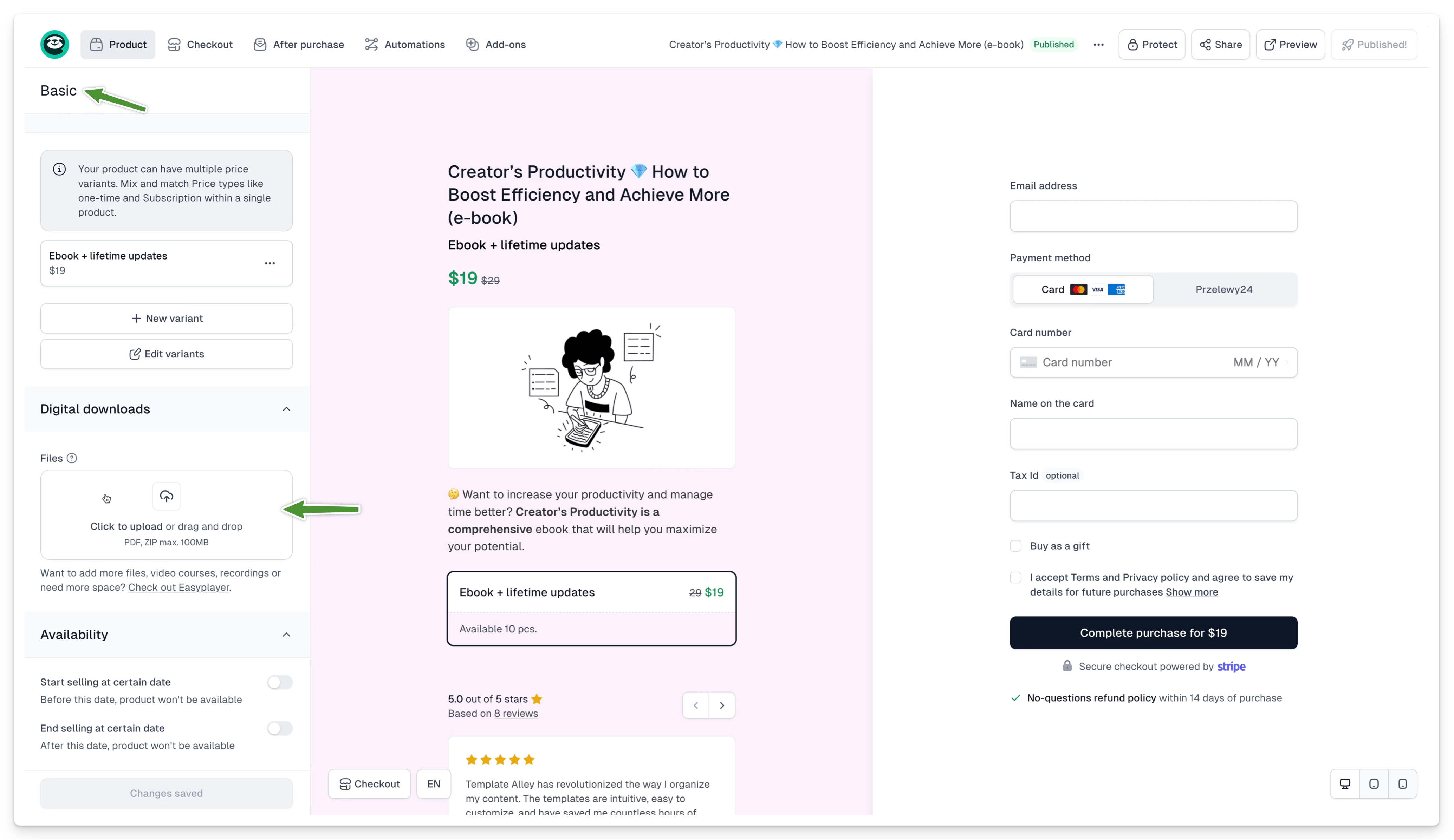
To assign a file to a product:
- Open the Product tab, then Basic
- Go to the Digital downloads section
- Upload your file(s) in PDF or ZIP format up to 100 MB
To assign a file to a variant:
- Open the Product tab, then Price variants
- Select or create the variant to which you want to assign the product
- Go to the Override fields section
- Upload the files in the chosen format
If you add a file to a product with more than one variant, we will automatically assign it to each variant. When you override settings for one variant, the others will still use the default assigned file.
Sharing files
After purchase, customers can access your products:
- On the thank you page, immediately after purchase
- In the confirmation email received after purchase
- In the customer portal, on the product subpage
Thank you page
After a successful transaction, we will display a thank you page to your customer. You can edit the content displayed, add confetti, and even add your own button, such as a redirect to your website.
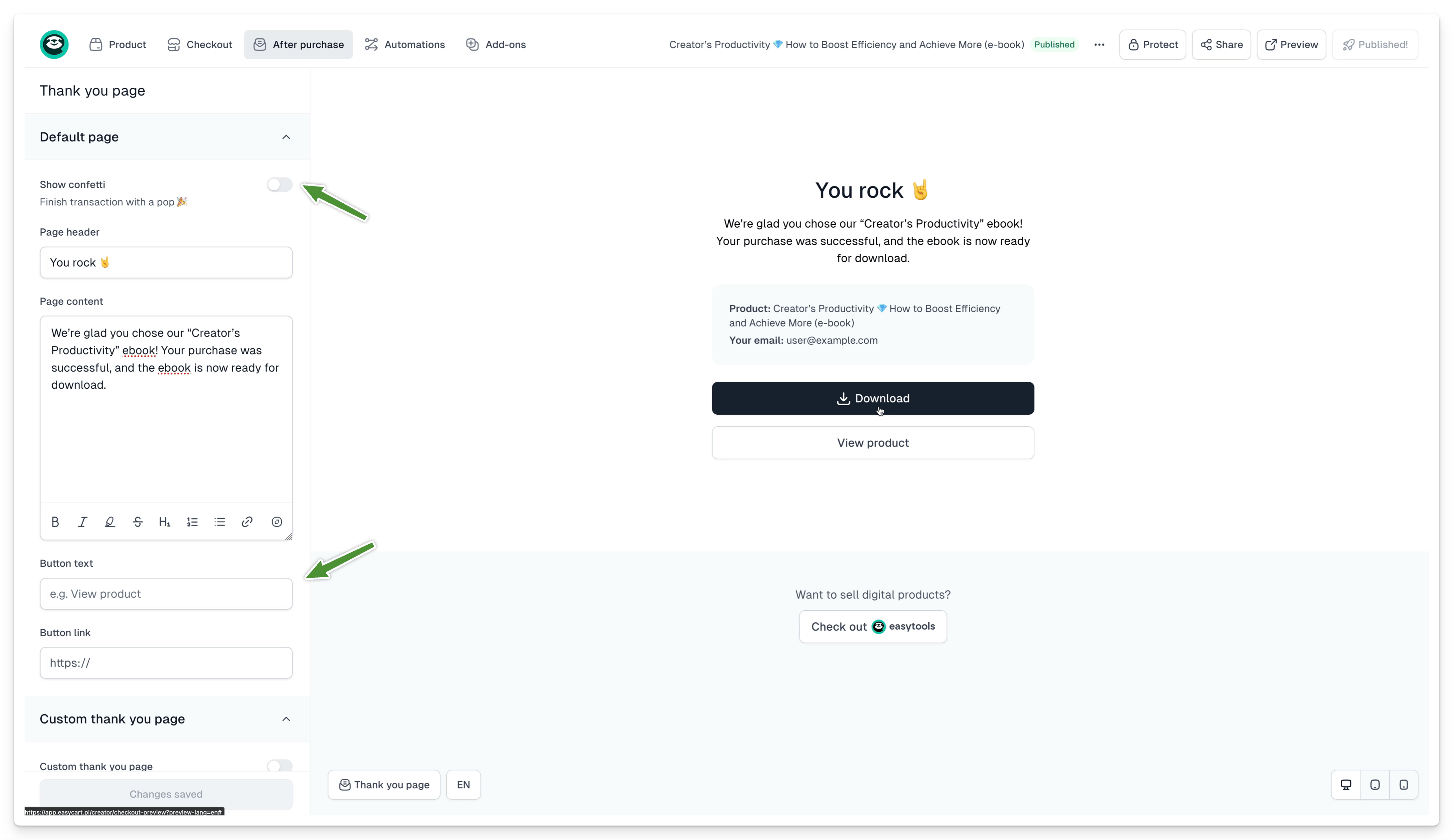
You can also choose the Custom thank you page option, add an address to your site, and decide after how much time the automatic redirect to your page will occur. If you set it to 0, we won’t display our thank you page at all but will redirect the customer immediately to the address you provided.
Learn more about customizing Thank you pages here.
Confirmation email
After purchase, we will also send your customer an email, which, depending on your settings, may include:
- Detailed information about the purchased product, e.g., the duration of the trial period
- The product to download
- An invoice
- A link to change invoice details
- A link to log in to the customer portal
To modify the email content after purchase, go to the After purchase tab, then Notifications. There you can set the email header and add your own content.
Learn more about transactional emails in Easycart here.
Customer portal
Every customer who completes a purchase using Easycart has access to our customer portal, where they can access all purchased products. This allows them to download files, such as PDFs for eBooks, view QR codes assigned to event tickets, and even watch video courses directly from the customer portal.
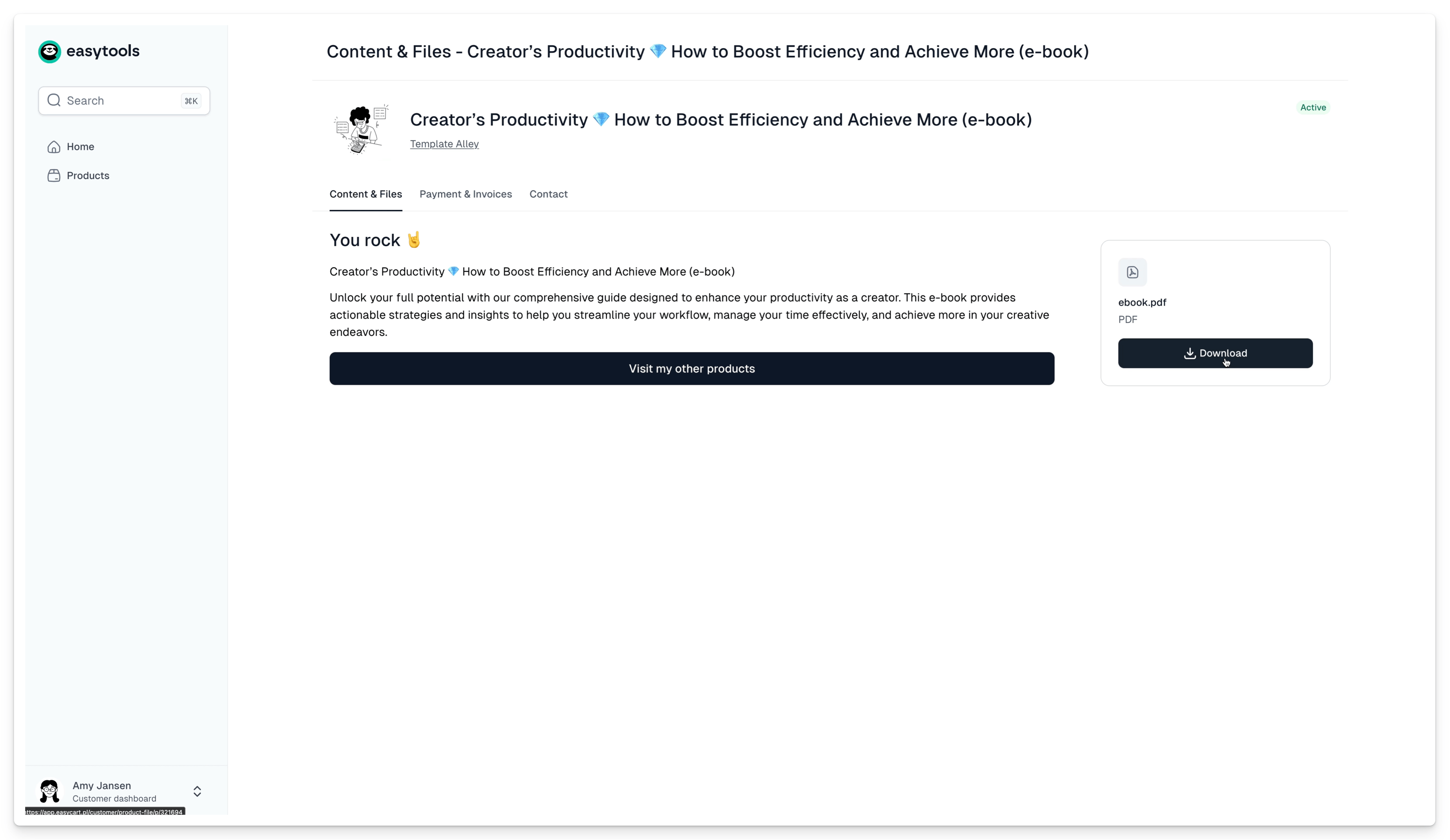
As a seller, you can customize how your product will display in the customer portal and add your own link, for example, directing to your website. Learn more here.