Easytools allows you to offer complementary products right after a customer buys – on the Thank You page or in the confirmation email.
Just pick the product you want to promote, and we’ll automatically show it to the customer right after they wrap up their purchase.
Want to build a more advanced funnel? Add multiple cross-sell and down-sell offers and arrange them in a flow using our drag-and-drop editor.
Creating a cross-sell option
To create a cross-sell option open your cart configurator and from the top menu choose Add-ons ➔ Cross-sells. Then click + New.
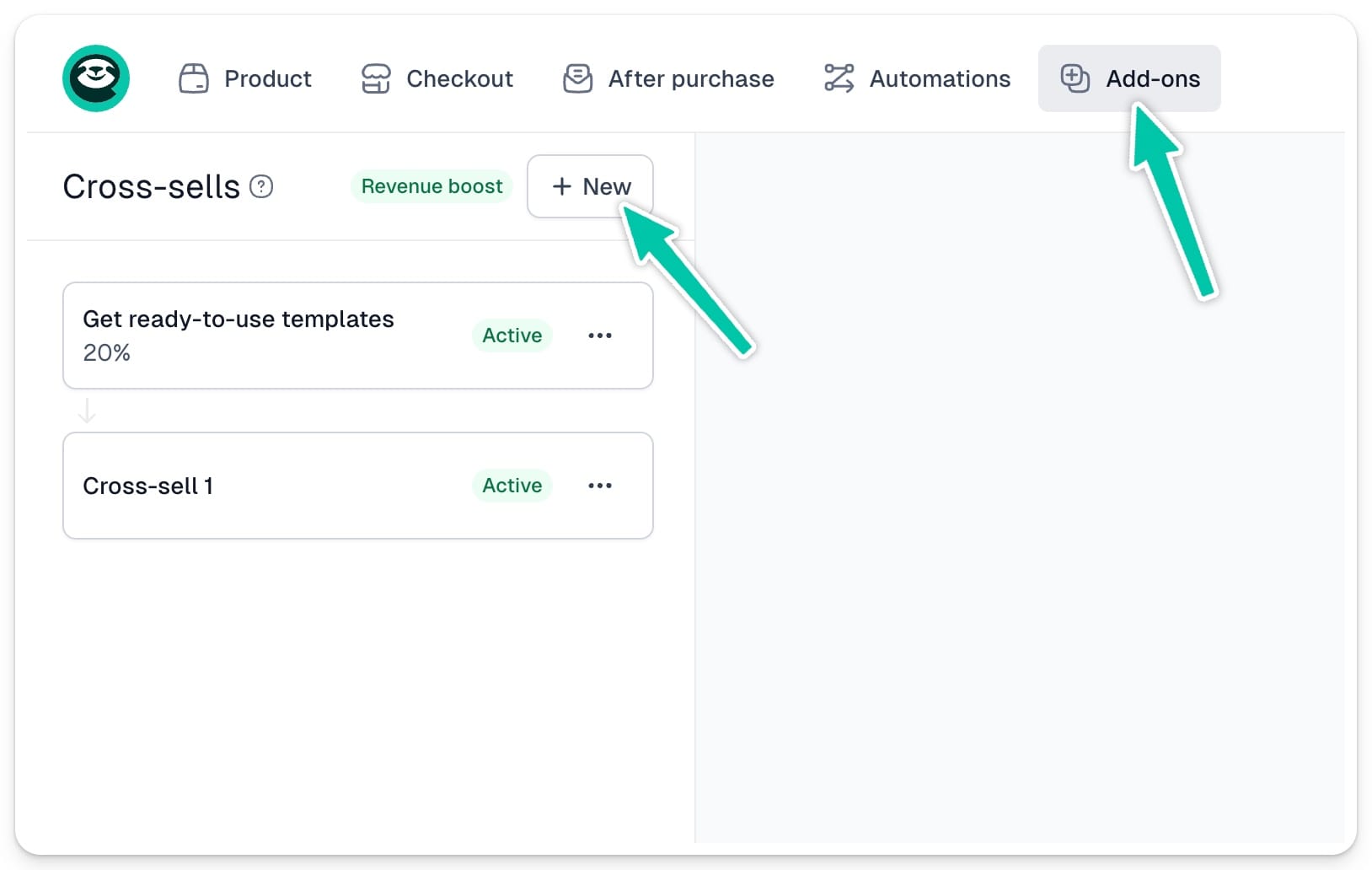
First step is choosing a parent cross-sell. We will later use it to create dependencies between cross-sell and down-sell options.
But let’s start with selecting the Product to cross-sell and its Price variant.
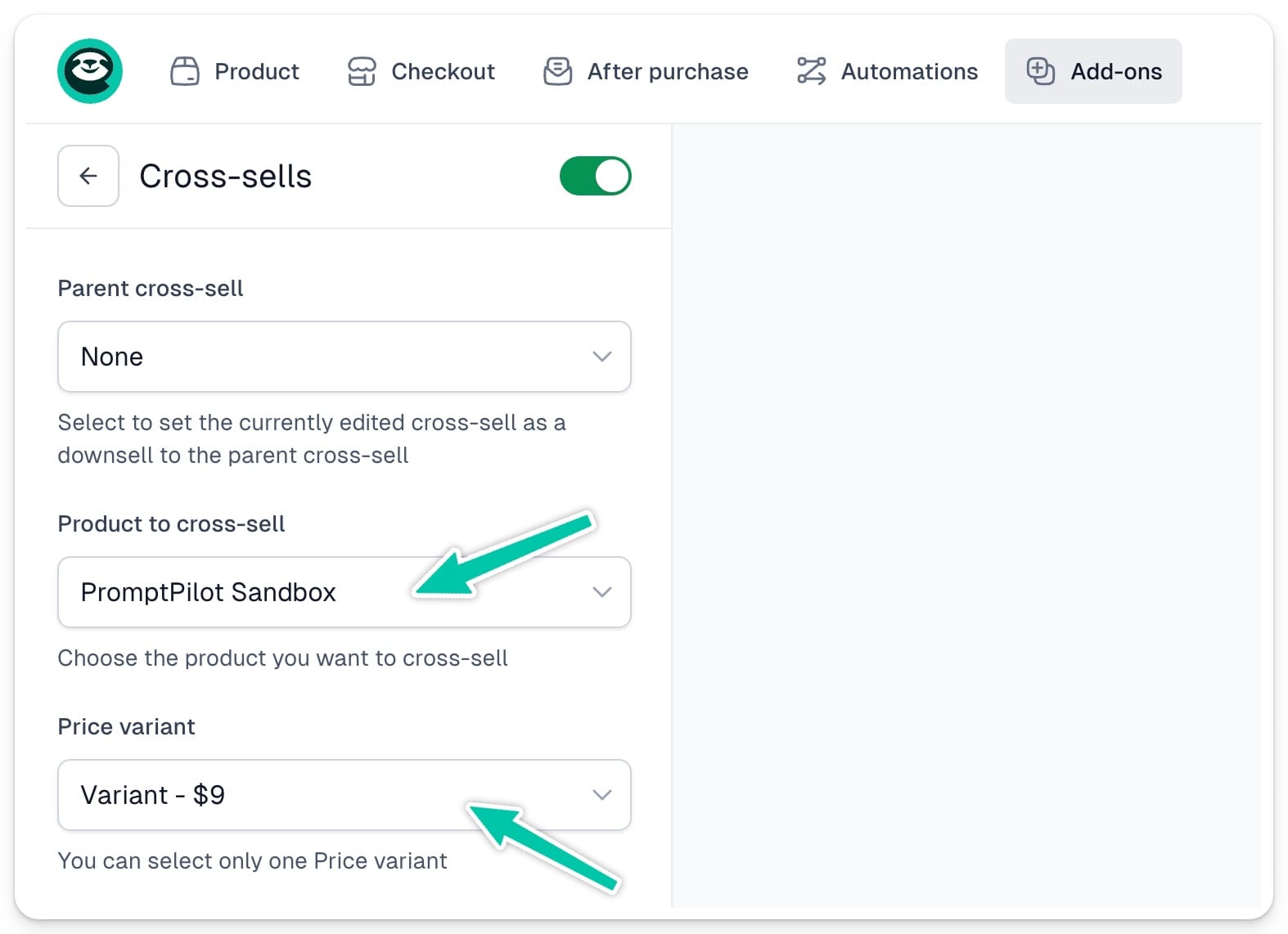
Important: If the product you want to use as a cross-sell has several price variants, you will only be able to choose one of them.
Editing descriptions
Then you can enter cross-sell offer Title and Main description. You can also override original product description.
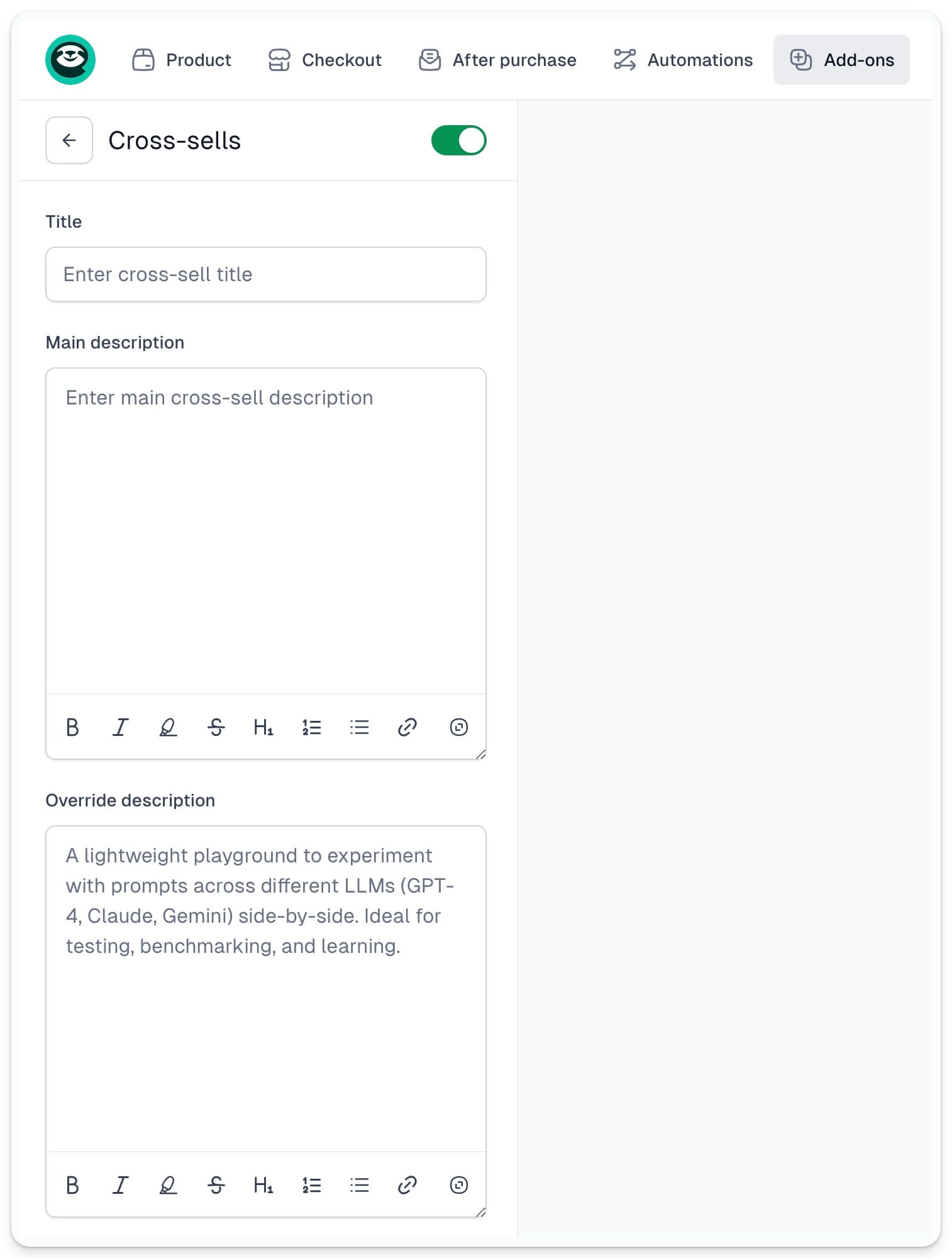
The Title and Main description will display on top of cross-sell card:
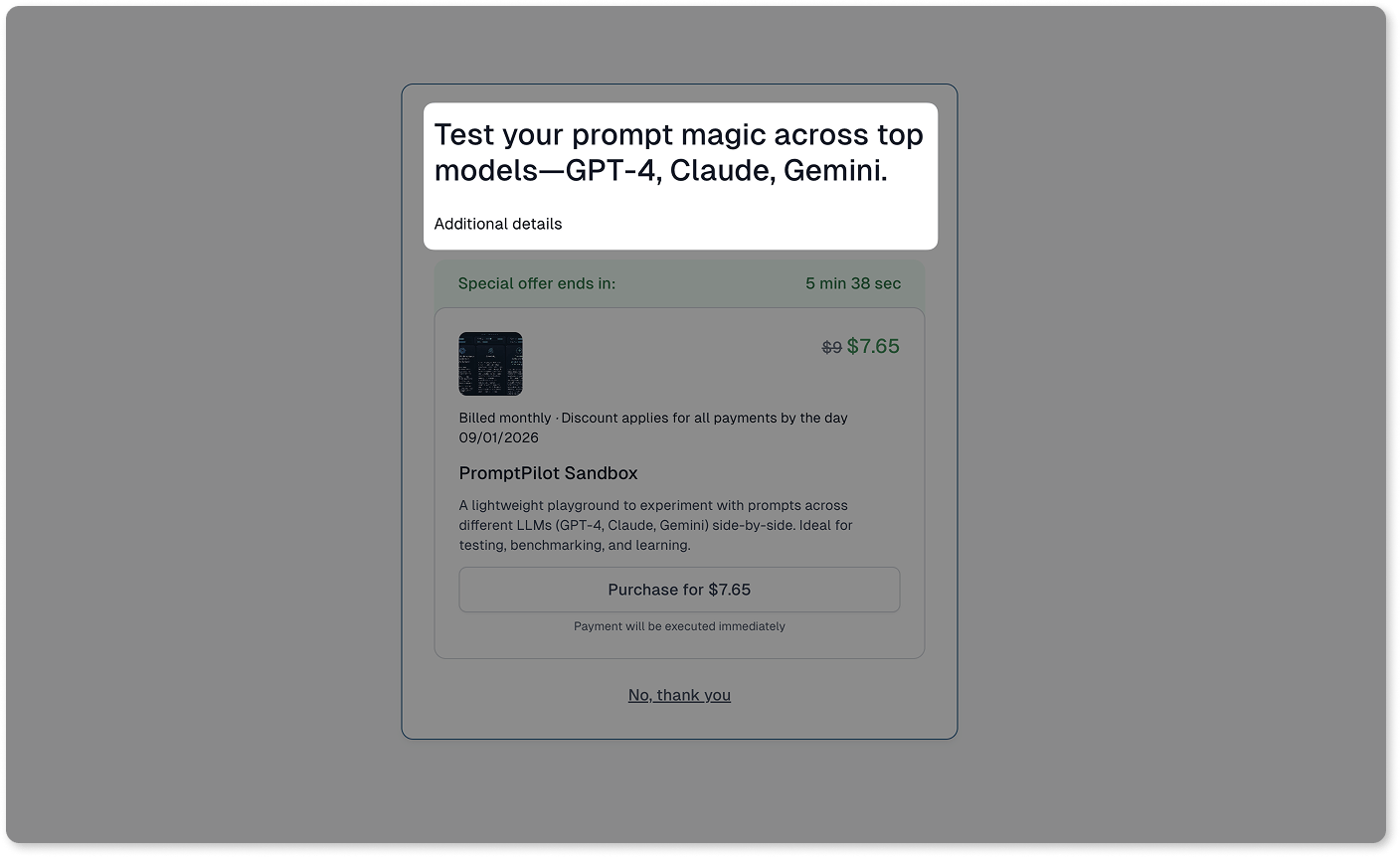
And the product description will appear here:

Next, you can change the button text - by default it will display Purchase for [product price].

Setting offer validity
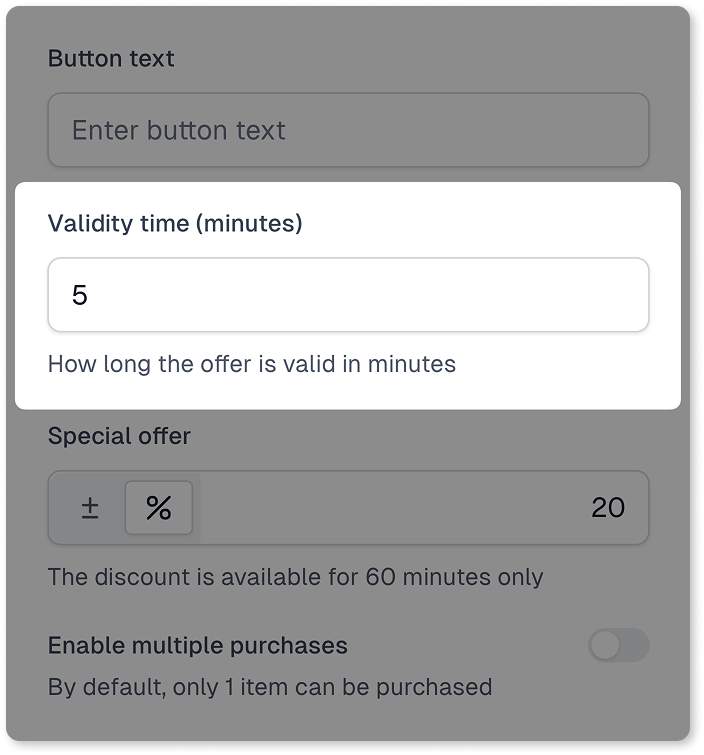
You can then choose for how long after the original purchase, your customer will be able to purchase the cross-sell option. Simply set up the number of minutes for how long the offer will be valid.
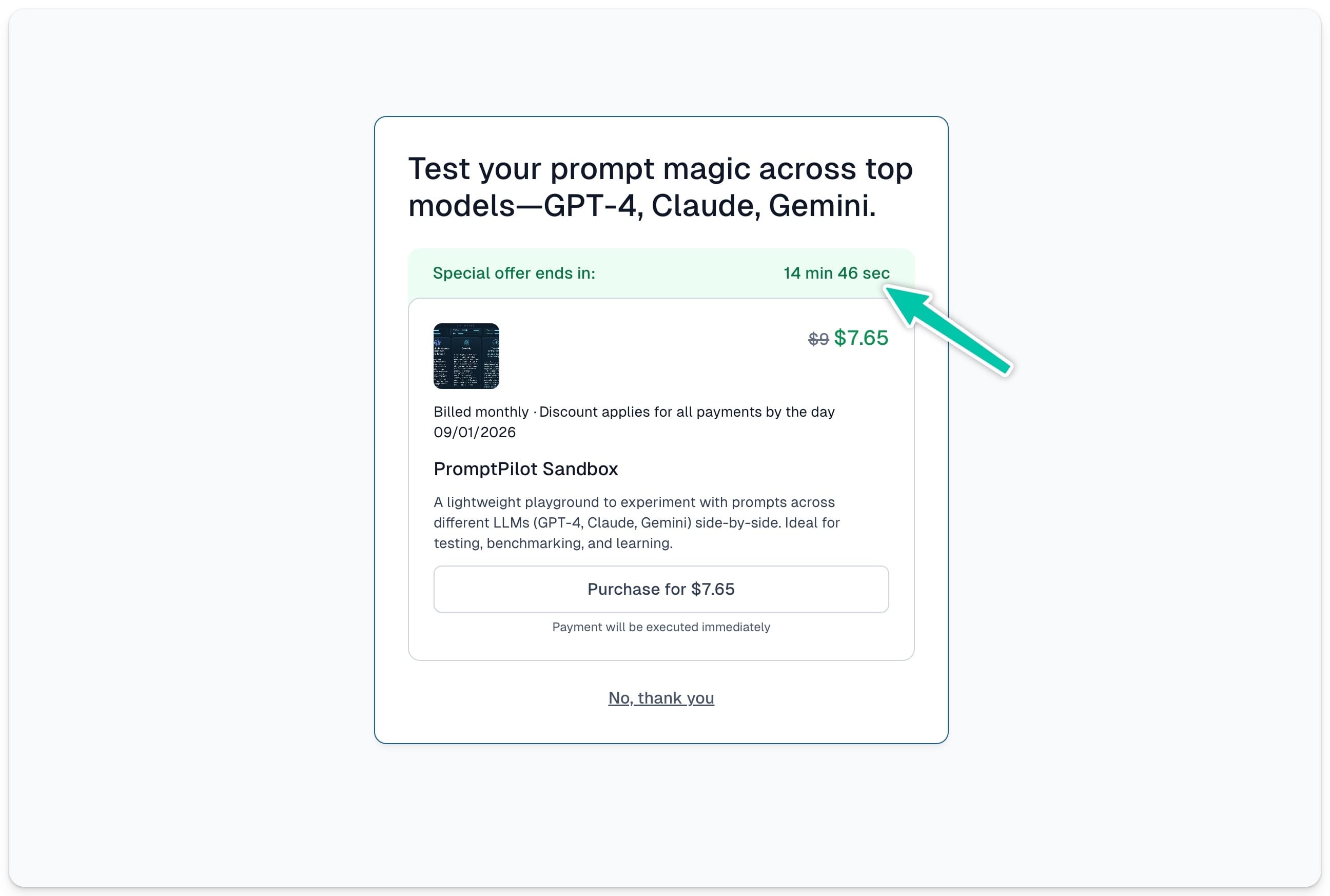
The timer counting down till the end of the offer will automatically display on the cross-sell card:
Important: If you use your own Thank You pages, the cross-sell will still work, but the offer will only appear in the confirmation email and will be valid for 60 minutes.
Adding special offer
Next, you can set up a special offer for your cross-sell to give your customer an extra push to make a purchase.
Adding a numerical or percentage discount to the cross-sell option significantly increases the conversion rate.
You can choose the flat discount or a percentage off. Then simply enter the value in Special offer field. That’s how the discounted cross-sell option will display:

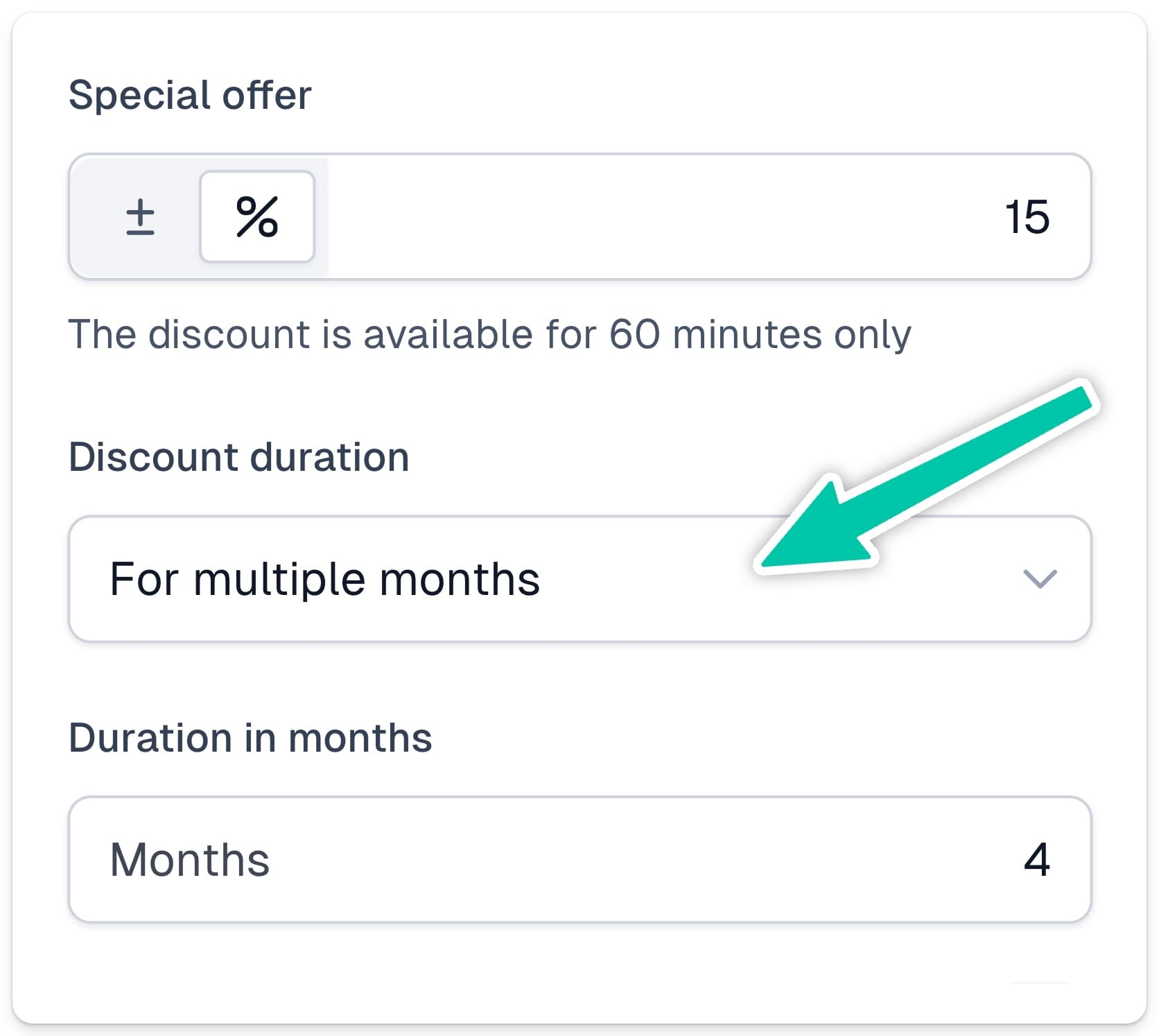
If the cross-sell option is a subscription-based product, you will also need to choose Discount duration:
- For the first cycle
- Forever
- For multiple months
When you opt in for “For multiple months” option, we will also ask you to set the Duration in months:
Enabling multiple purchases
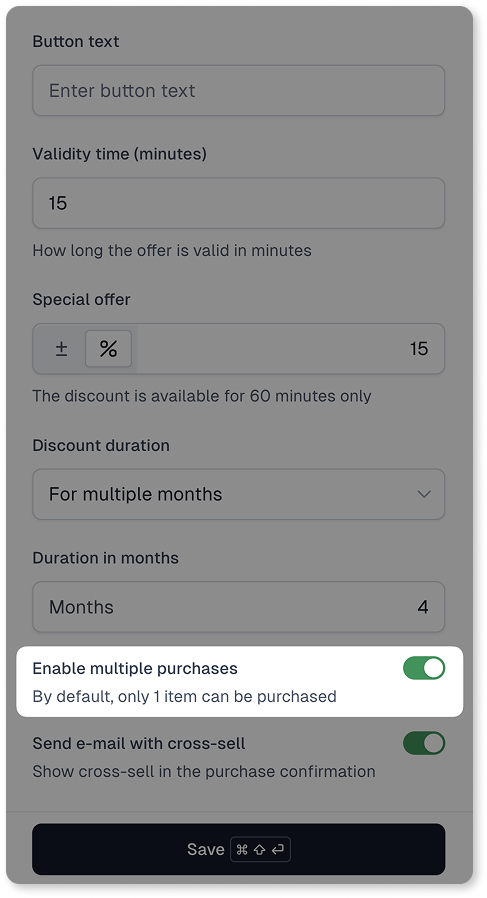
Next, you can choose how many items will be available in your cross-sell offer. By default, each customer is able to purchase 1 item, but you can change that by toggling the option Enable multiple purchases.
Sending e-mail with cross-sell
In the last step, you can define whether you also want to send your cross-sell offer to your customer via email. If you toggle the option Send e-mail with cross-sell on, we will automatically add your special offer at the bottom of the Purchase confirmation email:
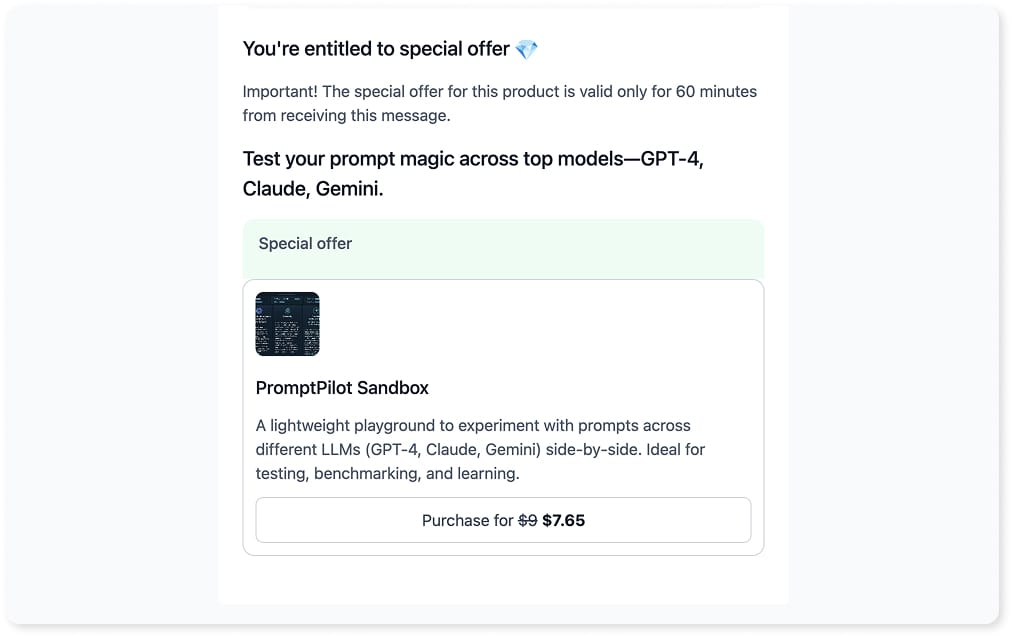
The cross-sell offer send via email is by default valid for 60 minutes.
Creating sales funnels
Let’s now build a more advanced funnel with multiple cross-sell and down-sell paths that adapt based on what your customer buys (or doesn’t).
Start by adding all your cross-sell options to the list.
Then, you can structure how offers appear using two methods:
- Drag & drop to nest offers under the right parent
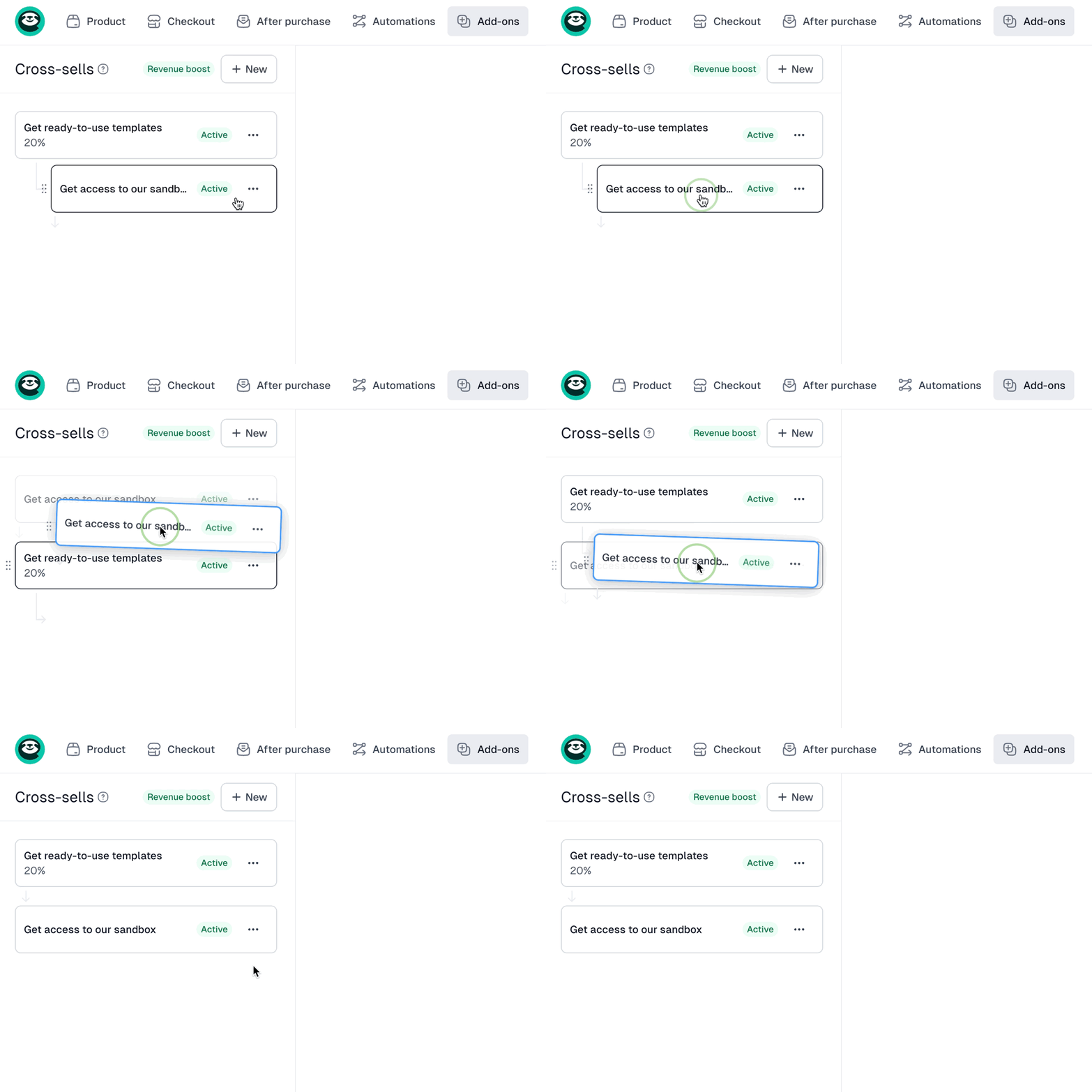
- Select a parent in the cross-sell’s settings
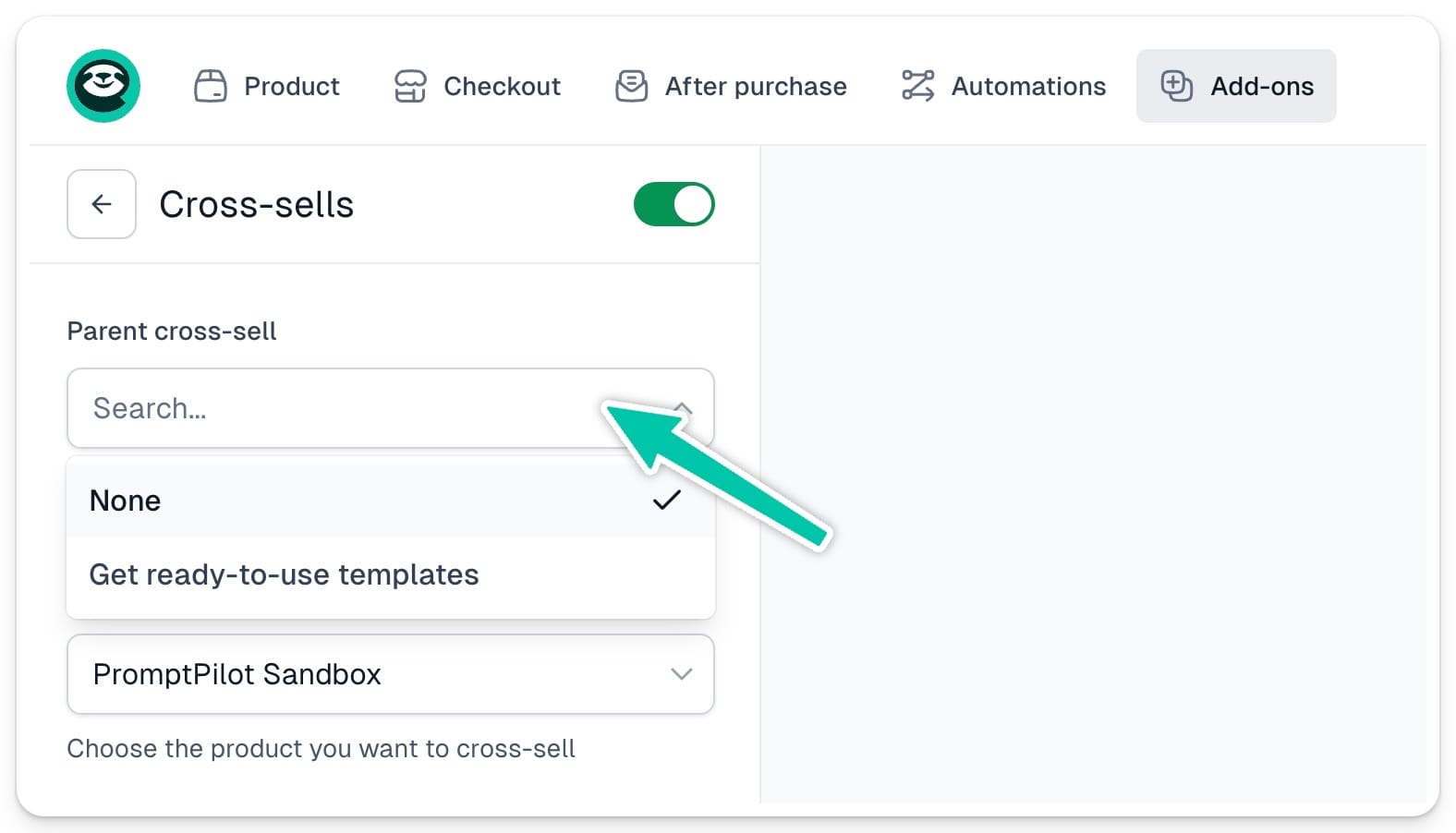
Important: You can nest offers up to 3 levels deep.
How the funnel logic works (example)
Here’s the sample funnel logic:

Let’s break down a few scenarios:
- If the customer buys Cross-sell 1
- → They skip all nested down-sells and go straight to Cross-sell 2, then to Cross-sell 3.
- If they skip Cross-sell 1→ They see Down-sell 1 - Level 1.
- If they buy it, they skip the nested down-sells and go to Down-sell 2 - Level 1.
- If they skip it, they see Down-sell 1 - Level 2.
- If they buy that, they move to Down-sell 2 - Level 1 (skipping the other nested offer on Level 2).
- If they skip that too, they see Down-sell 2 - Level 2.
And so on.
For each offer (cross-sell or down-sell), the general logic is:
- If purchased → Skip all nested offers. Go to the next one on the same level (or Thank You page if it’s the last).
- If skipped → Show the nested offers in the order you set.
Important: If you enable automated emails with cross-sell offers, customers will only be notified about your main (level 1) cross-sells – not the nested ones.
How does it work for your customers
In Easycart, we show cross-sell offers after purchase – not during checkout. Why? Because adding friction during checkout can hurt conversions.
According to a Baymard study, 66% of Amazon shoppers who had to go through an additional step with a cross-sell offer before completing the transaction experienced extreme frustration.
So here’s what happens instead:
After confirming their primary purchase, the customer enters your cross-sell funnel and starts seeing offers based on the flow you created.
If they decide to buy a cross-sell, a few scenarios can occur:
- Instant purchase - If no extra info is needed, we’ll charge them immediately using the same payment and customer data from their original order.
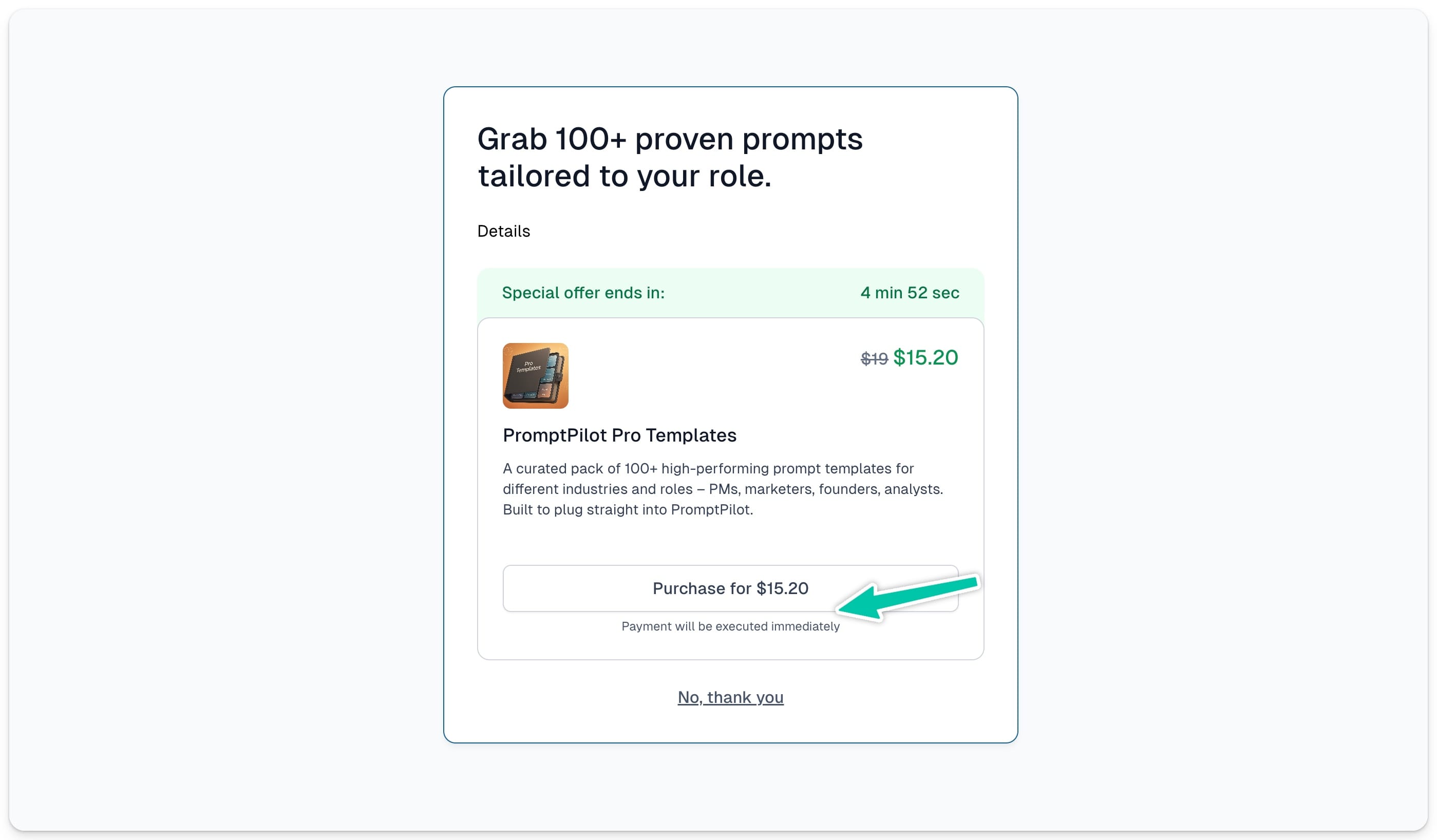
- Purchase with Apple Pay or Google Pay - If the customer’s account doesn’t have card details assigned, but their browser supports Apple Pay or Google Pay, we will automatically suggest using this method.
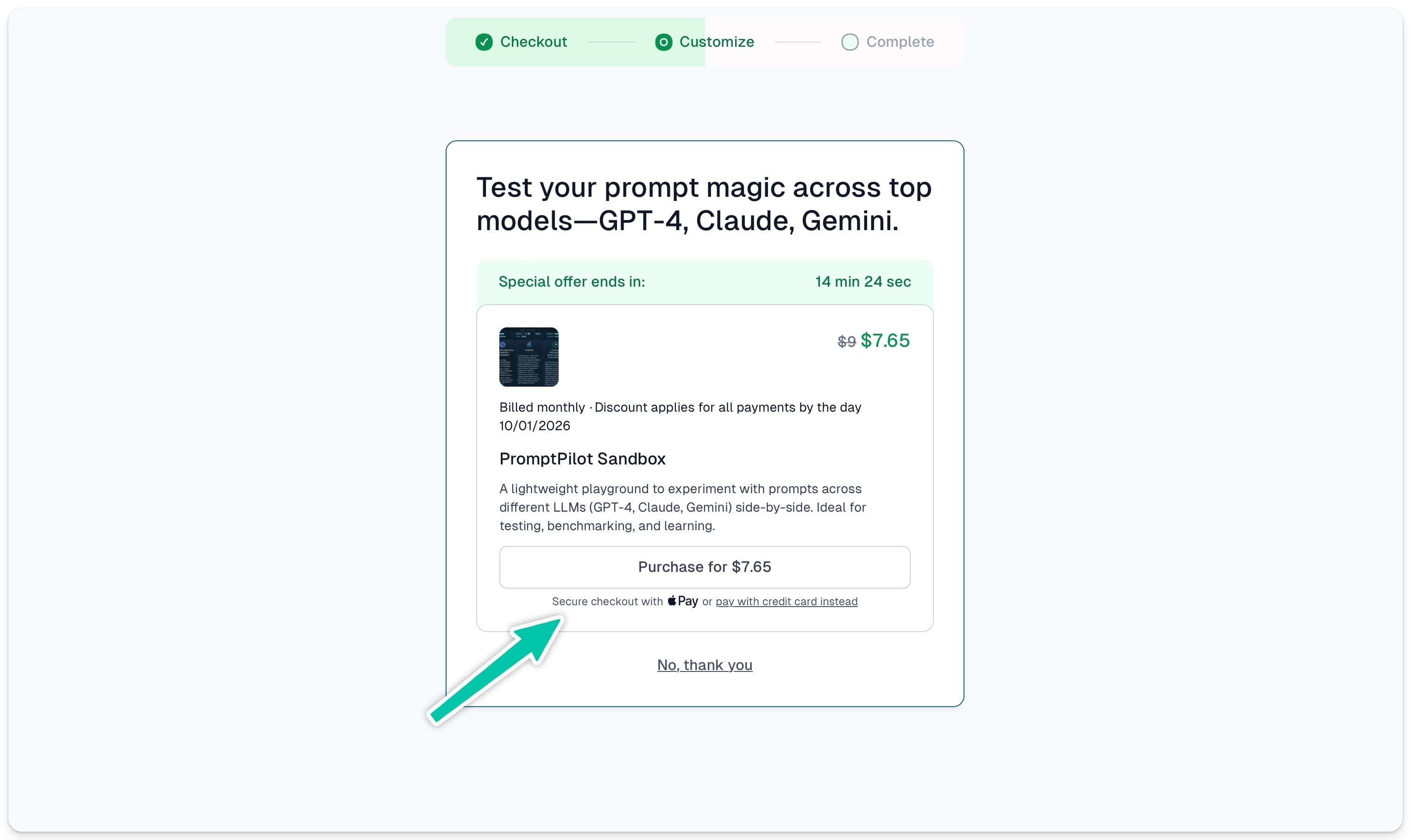
And if they prefer to provide their card information instead, they can do so by clicking pay with credit card and entering their card details to complete the purchase.

- Redirect to checkout - If the cross-sell requires extra details (like filling out a custom field), they’ll go through a quick checkout step to provide that missing info.
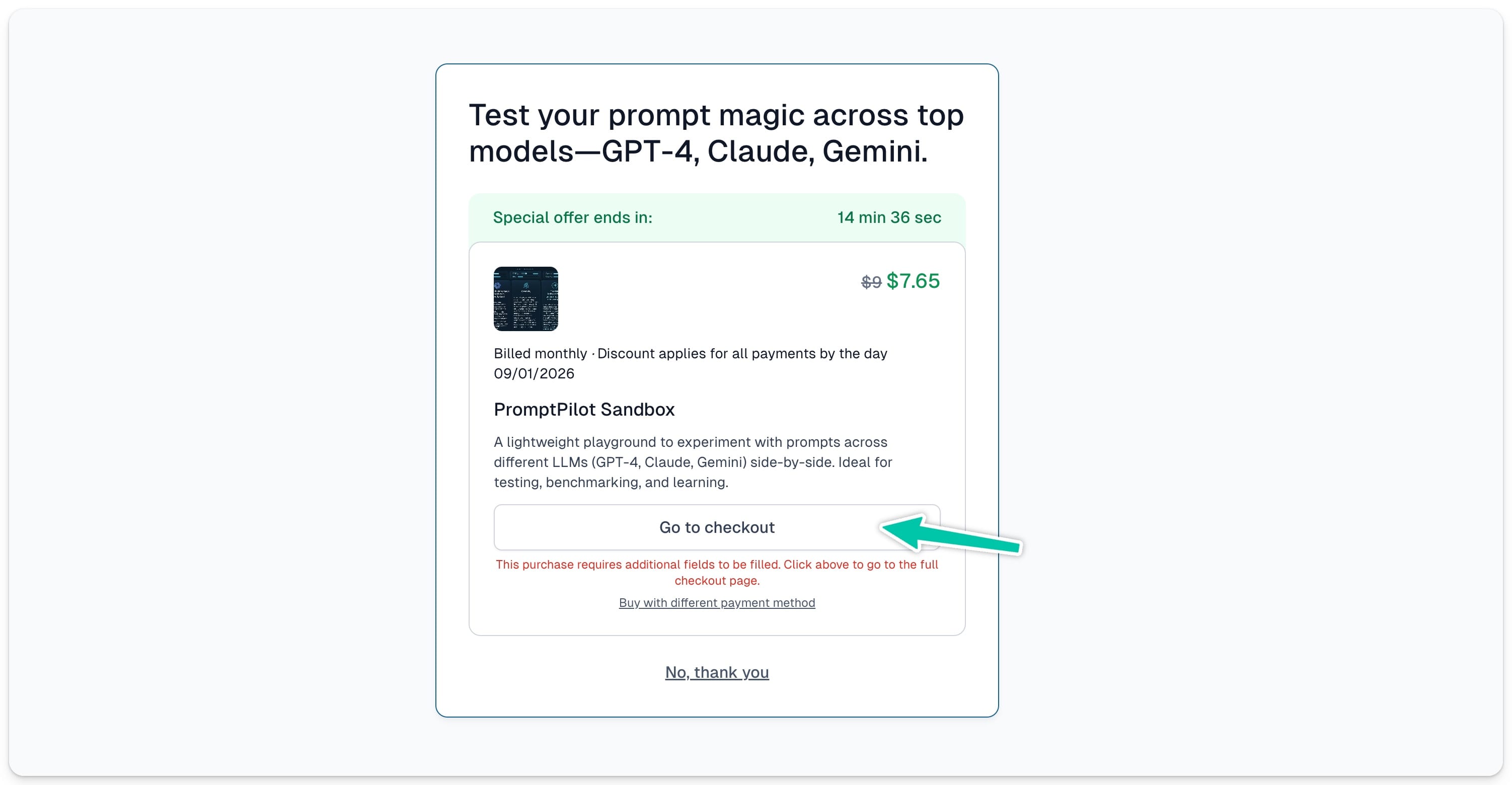
Important: If a customer opens a cross-sell checkout that has a time-limited offer, they won’t be able to complete the purchase once the offer expires – even if the page is still open.
All the purchased product will then be visible on the final Thank You page:
