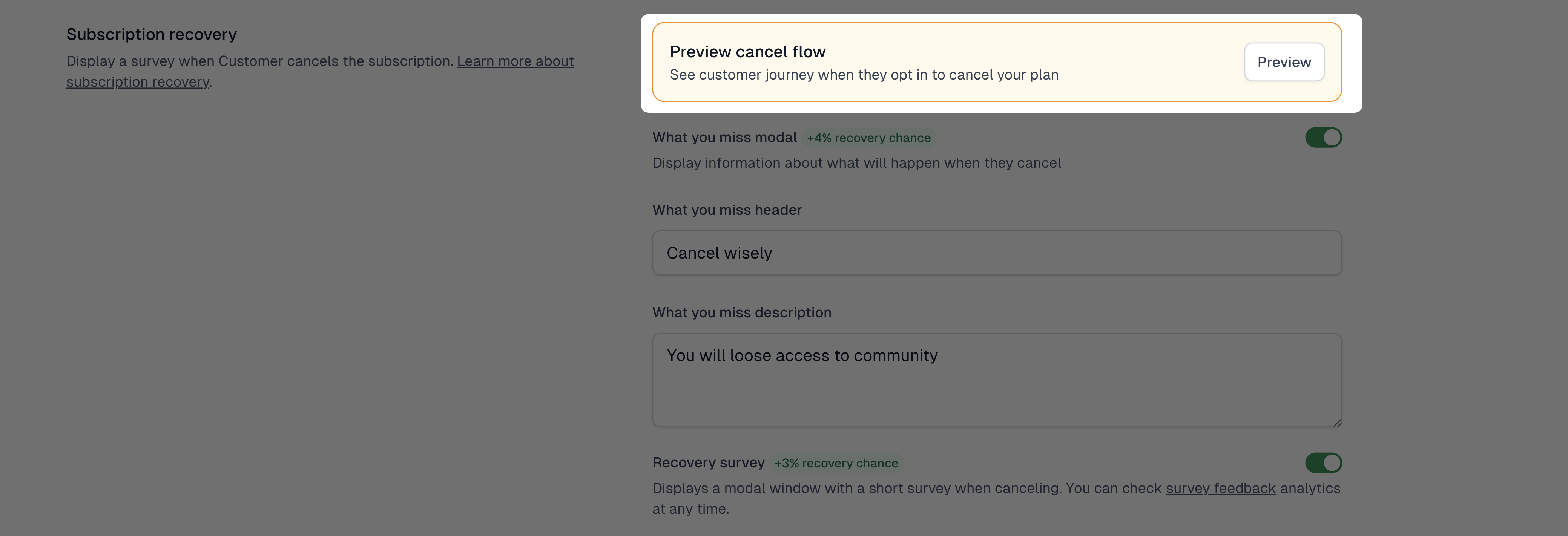
Subscription recovery helps retain customers who are about to cancel their subscription. The feature can display different modals in the following order: Last chance discount, Schedule a call, What you’ll miss, and a short Survey, increasing your chances of keeping the subscriber and understanding their reasons for leaving.
How to enable subscription recovery
You can enable subscription recovery in the global settings of your store. It will apply to all your subscription products. Here’s how you can do it:
- Go to Store → Recovery
- Open the Recovery settings tab
- Choose the modals you want to display by toggling them on
- Fill in all additional details in modals’ settings
- Toggle the Recovery survey to show a survey when canceling
- Click Save.
You can preview your cancel flow any time by clicking Preview.
”Last - chance discount” modal
Display a special discount that will be applied only to the next billing cycle. This offer will be available to the customer only once.
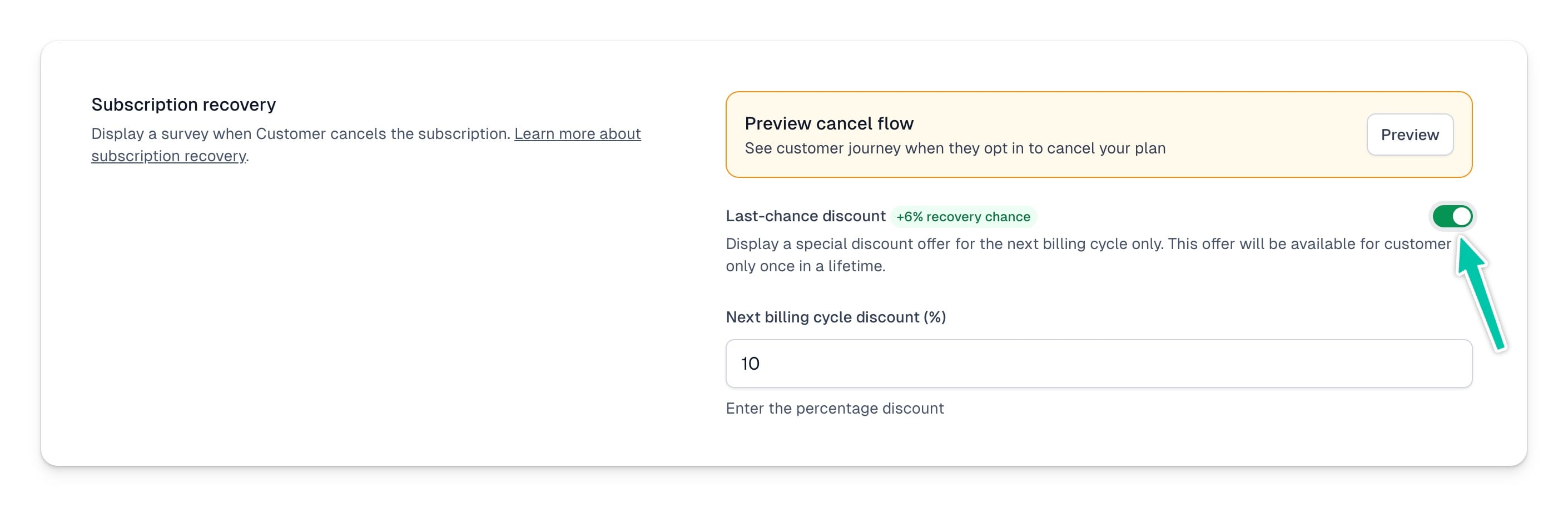
You can set any percentage discount from 1% to 100%. And that’s how the discount will be displayed on the modal:

“Schedule a call” modal
Display an option to schedule a call or take another action using a custom link. This modal allows you to provide a link to your calendar so the customer can book a call.
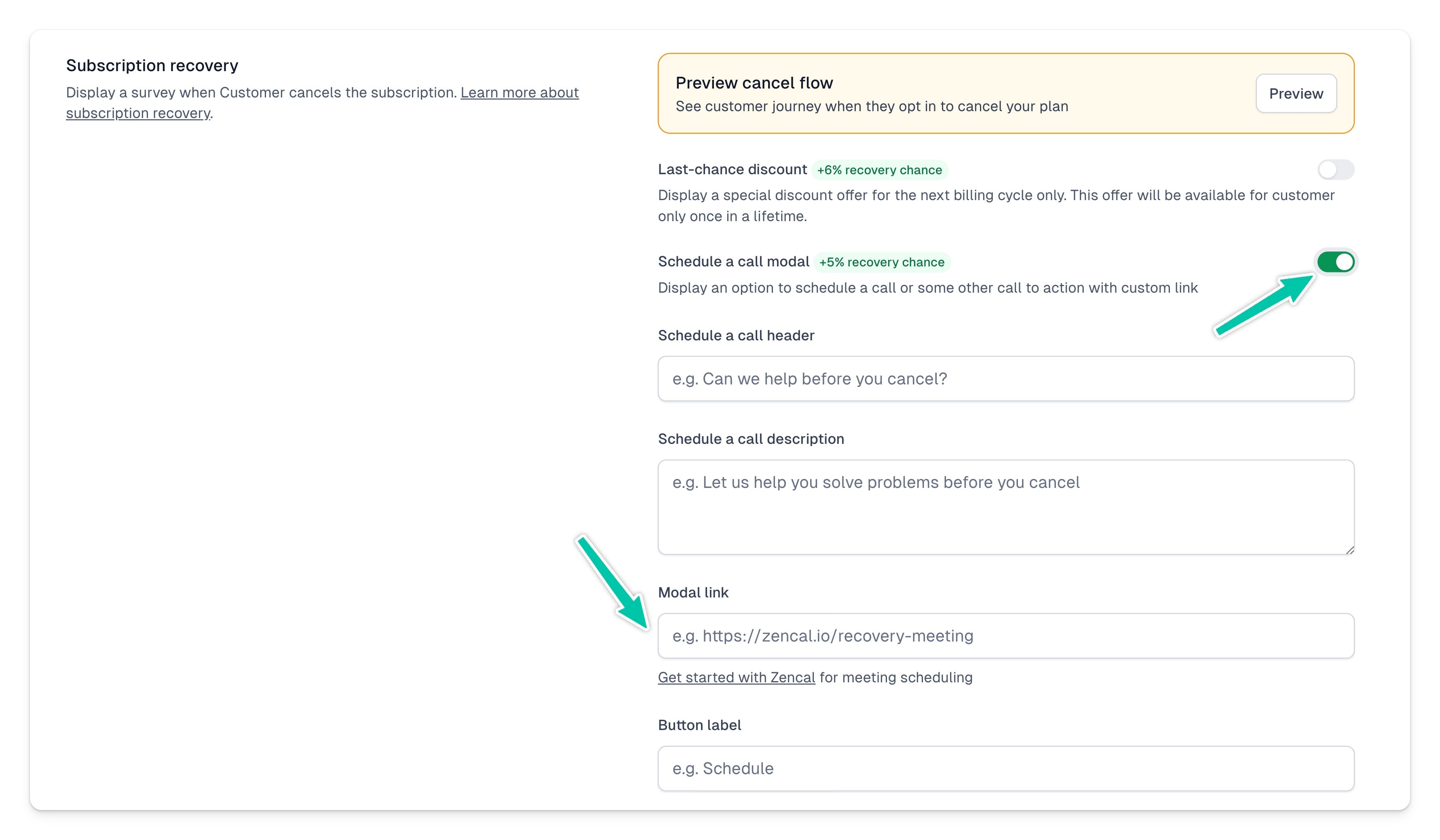
You can customize the content of the modal by setting:
- Call header – an attention-grabbing title encouraging the customer to schedule a call.
- Call description – a short text explaining the purpose of the call or the benefits for the customer.
- Link – the URL where the customer can book a time or access the reservation form.
- Button Label – the action button text, e.g., “Schedule a Call,” “Let’s Talk Now,” or “Check Available Slots.”
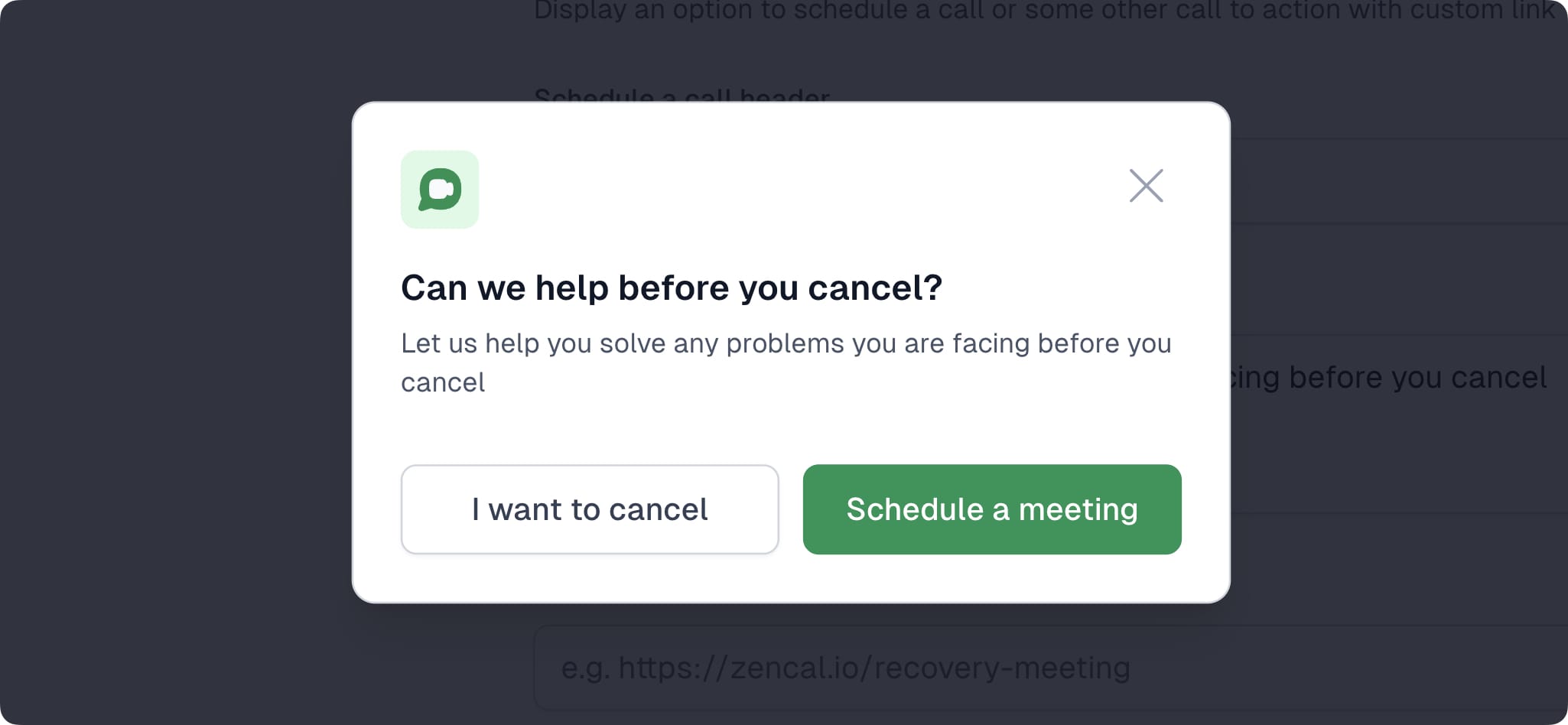
Example of a completed modal:
“What you miss” modal
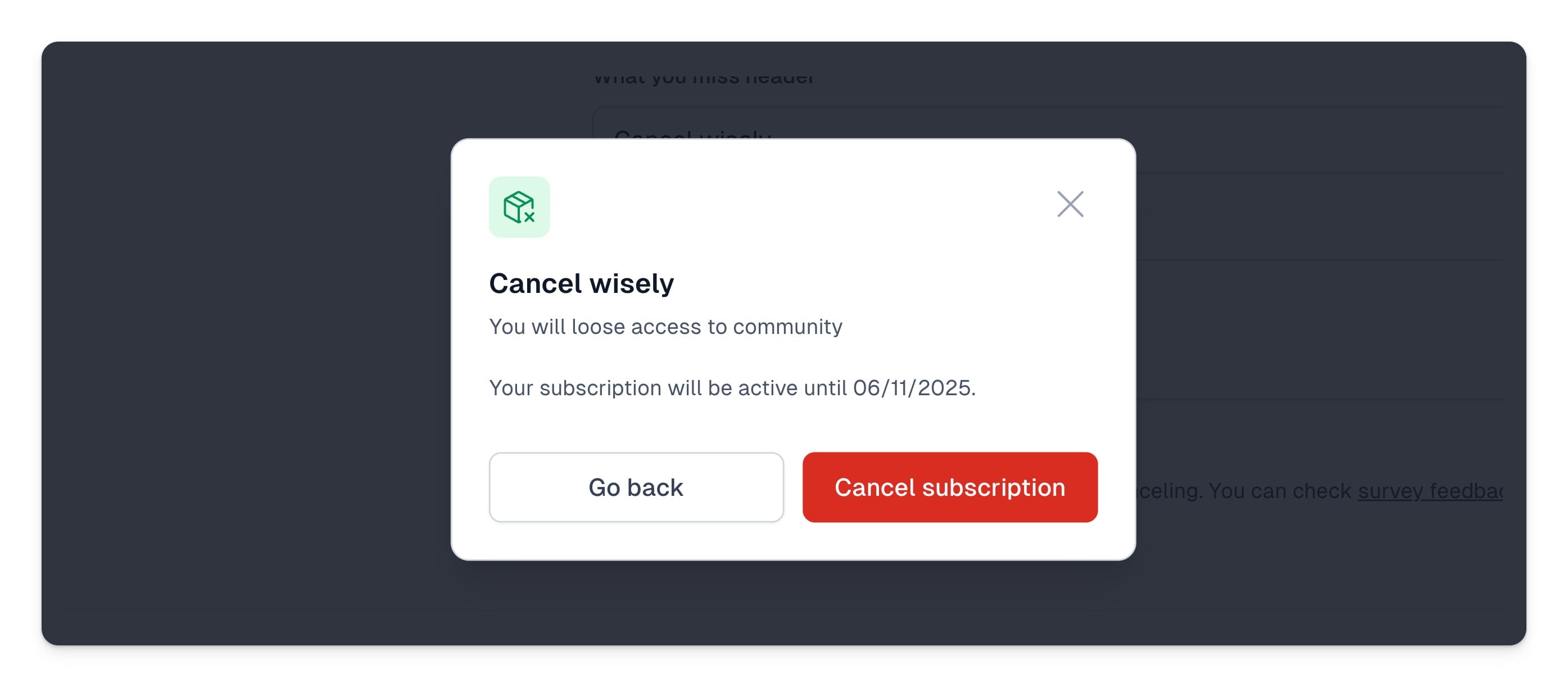
Display a modal showing the customer the benefits they will lose after canceling.

You can customize how the modal will display by setting:
- What you miss header – text displayed at the top of the modal, e.g. “Before you cancel…” or “What you’ll lose after canceling your subscription.”
- What you miss description – additional information or persuasive text encouraging the customer to stay.
And that’s how your modal will display:
Subscription cancellation survey
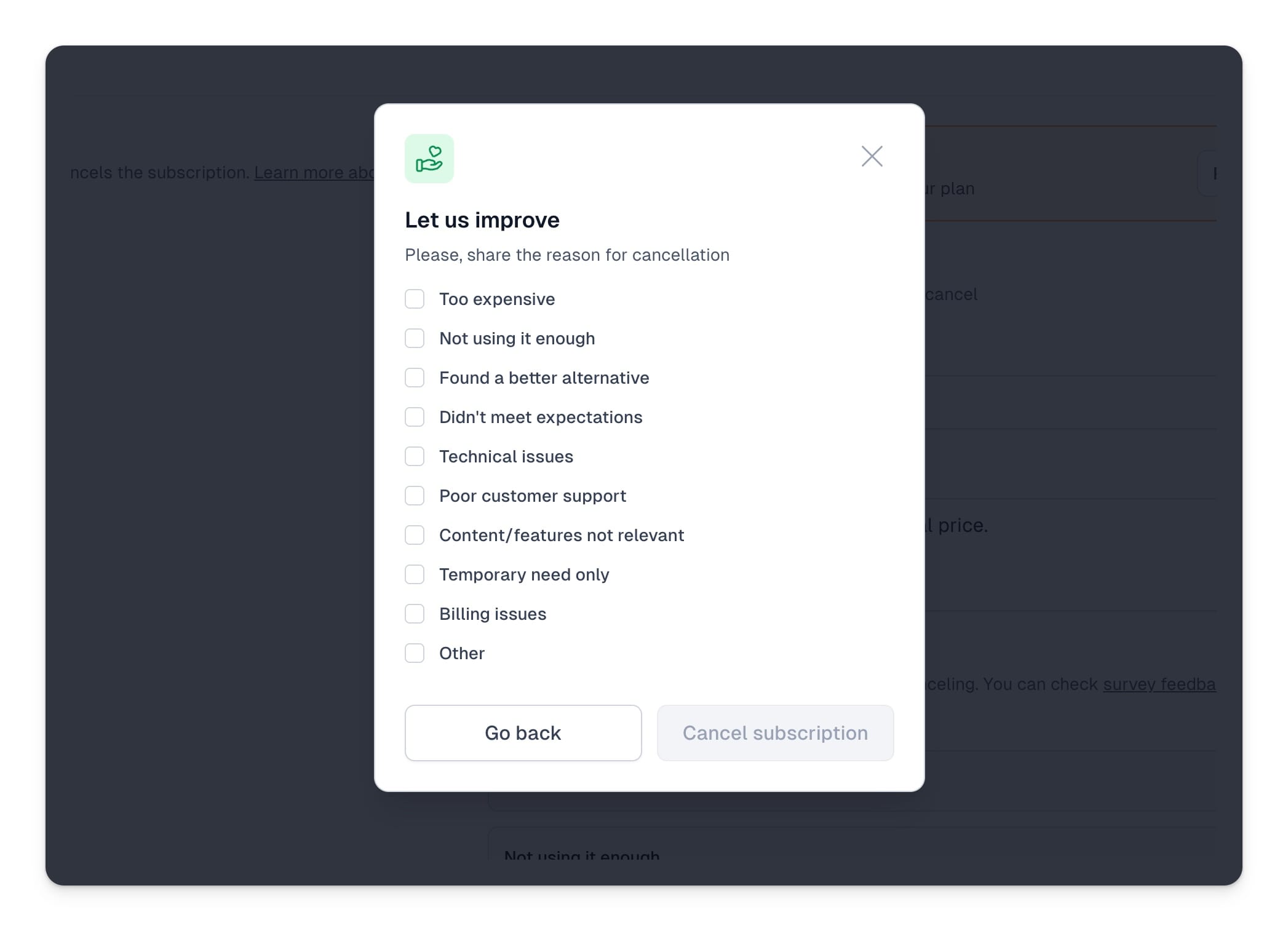
Additionally, you can enable a cancellation survey to understand why users are canceling, which can increase your chances of session recovery. After enabling the Recovery survey, you’ll see default responses for common cancellation reasons. You can also customize the list by:
- Editing or deleting existing responses
- Adding new responses
- Reordering responses by dragging them up or down the list

That’s how the cancellation survey will display:
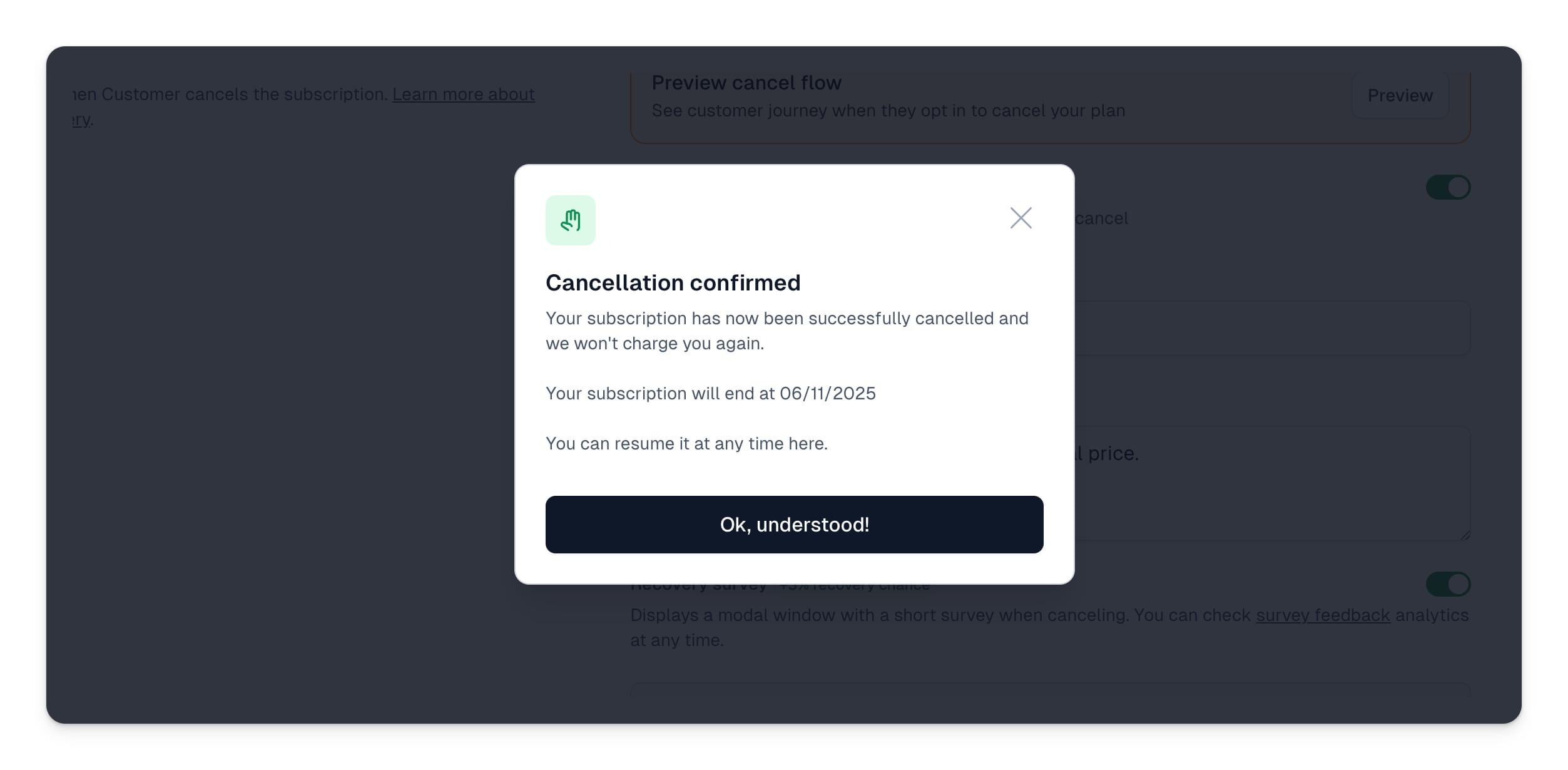
If a customer decides to cancel their subscription despite seeing the your recovery modals and completing the Cancellation survey, they’ll see the following confirmation modal:
Recovery surveys
You can view all completed cancellation surveys in the Surveys tab. All responses will be aggregated, so you can see how many users selected each option. You can filter the list by data range and product. You can also download a CSV file that will include details of each specific survey:

At any time, you can test the subscription recovery process using the Preview button.