Net price priority
For B2B sales, it’s a good practice to display net prices instead of gross prices.
To do this:
- Go to the product editing panel.
- Navigate to Product → Price variants.
- Enable the Show net price option.
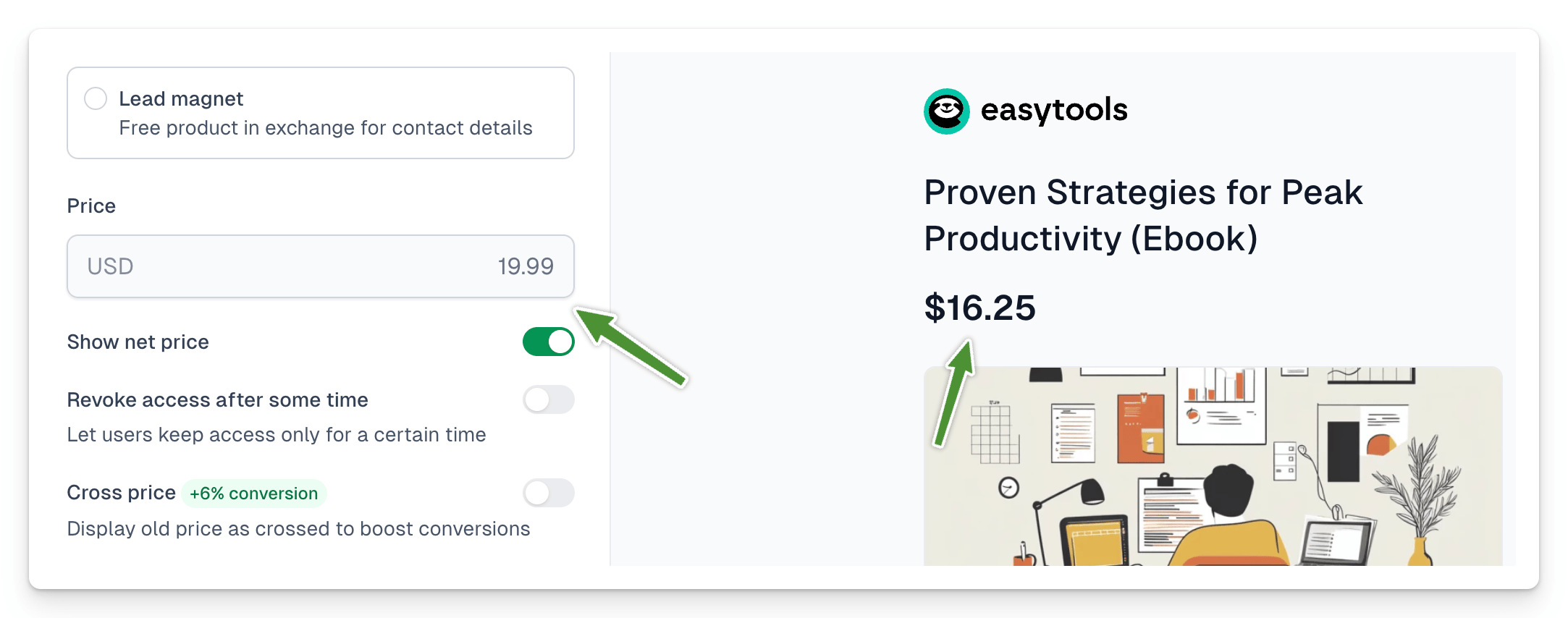
The net price is calculated automatically based on the tax rate declared within the product. In the same view, scroll down to the Taxes section to ensure the correct rate is selected. You can also set this rate in the After purchase -> Invoices and taxes section or globally in the tax settings.